This chapter is about looking back. Our station on Lyndhurst Hill has kept records for about 20 years, and a few pages turn those records into tables you can read and compare. Visitors get a preview of most of them. Members see the full history.
Weather Reports
Weather Reports is the biggest of the history pages. It shows month by month heat maps of the station records, where the colour of each box tells you at a glance if a month was hot or cool, wet or dry.
Visitors see a sample: a table of maximum temperatures for a few recent years, with the rest locked for members.
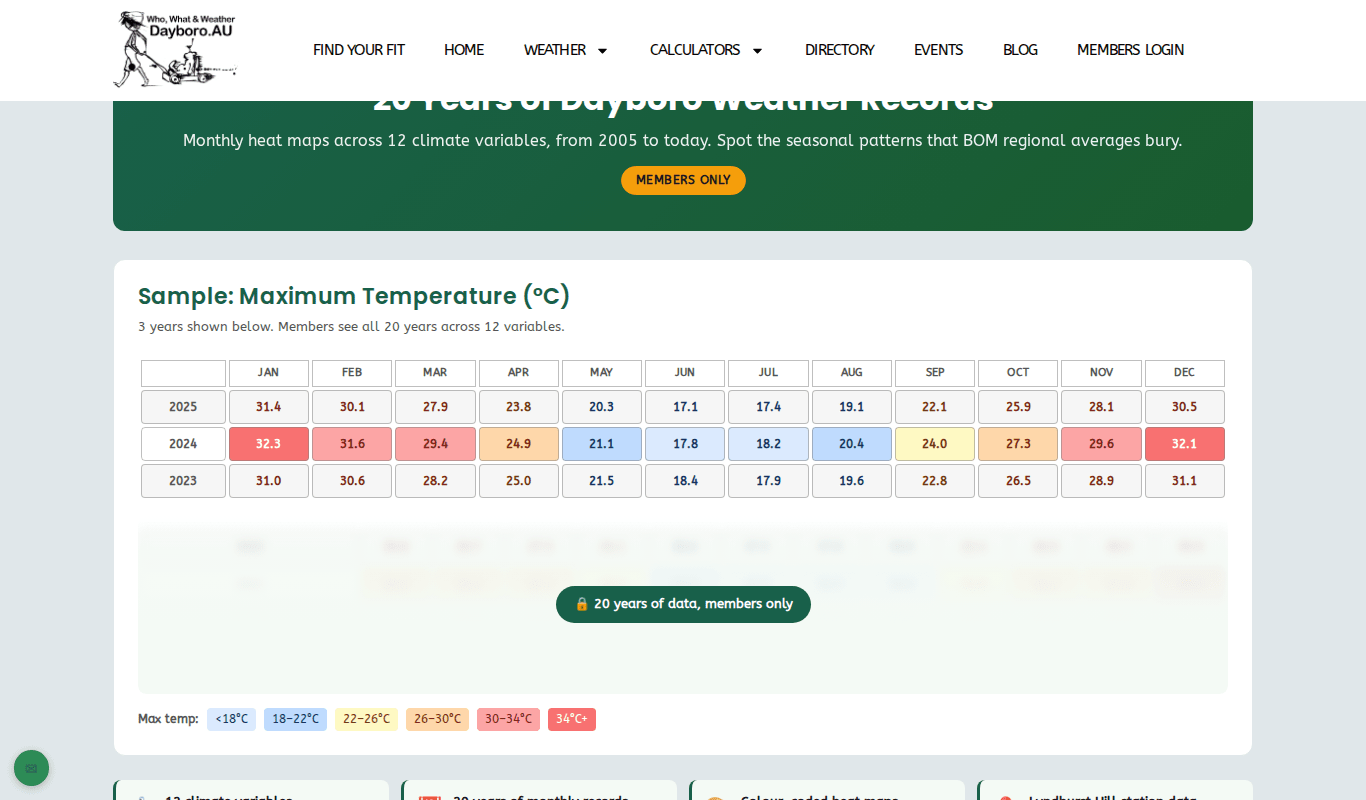
Members get the full page with all the controls. To use it:
- Pick what you want to see from the row of buttons: Temperature, Rain, Wind, Humidity, Barometric Pressure, Solar & Sunshine, UV Index, Evapotranspiration, Dew Point or Wet Bulb.
- Pick a view: Monthly Summary, Daily Detail or Season Summary.
- For Monthly Summary and Season Summary, choose a year range. The page starts on the last 5 years. You can also pick the last 10, 15, 20 or 30 years, or all available years.
- For Daily Detail, choose a year and a month instead.
- Press Update to load the table.
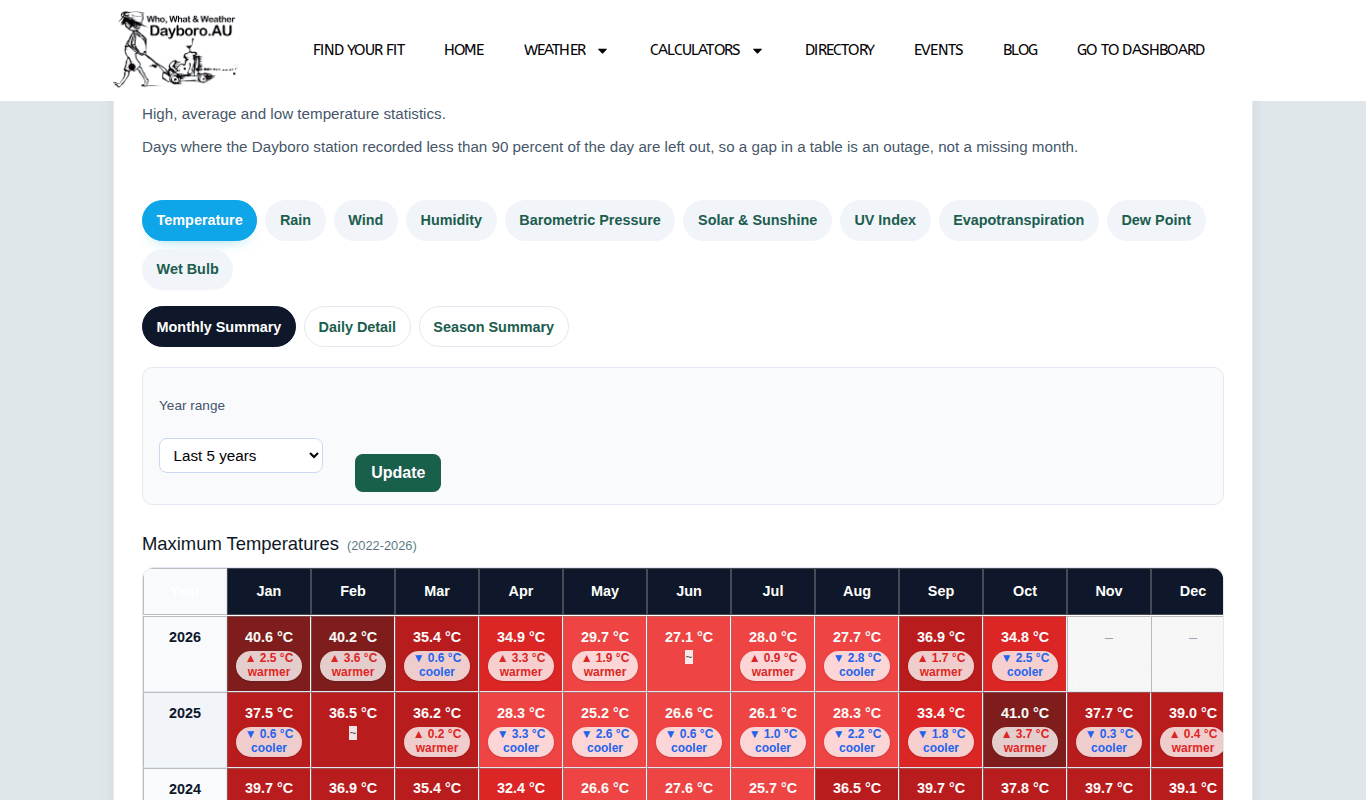
Each box shows the value for that month and a small note under it, such as “2.5 °C warmer” or “42.3 mm drier”. That note compares the month with the average, so you can spot an odd month without doing any sums. Season Summary does the same for summer, autumn, winter and spring, with a total for the year.
Daily Detail lists every day of the month you chose. It is handy when you want to know how much rain fell on a certain day.

Well, sometimes you will see a gap in a table. The page leaves out any day where the station recorded less than 90 percent of the day. So a gap means the station was down for a while, not that the month is missing.
Today in Time
Today in Time takes today’s date and shows what the weather did on that same date in earlier years. It answers questions like “is it always this hot in late October?”
The page uses the 9am to 9am day, the same way the Bureau of Meteorology counts rain. That means the figures for a date are only complete after 9am the next morning.
Visitors get a free preview: this year and the two years before, with a 3-year average. The table shows the maximum and minimum temperature and the rainfall, plus how each one compares with last year and with the average.
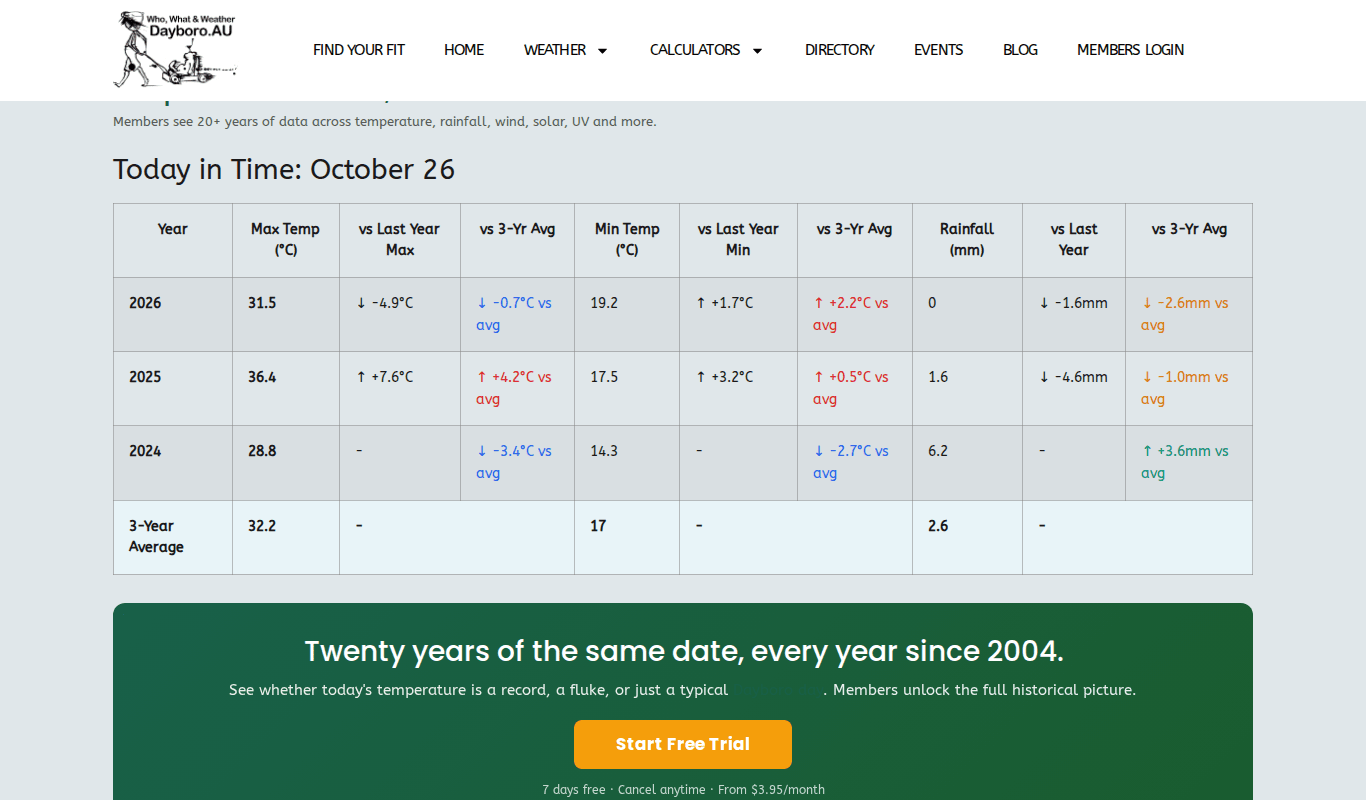
Members see every year the station has for that date, with a 19-year average, and an extra set of columns for average wind. A key at the bottom explains the arrows: up means hotter, wetter or higher than the year before, down means cooler, drier or lower, and a sideways arrow means about the same.

Climate Trends: week, month and season
Climate Trends is a starting page with four cards: Today in Time, Week Comparison, Month Comparison and Season Comparison. Press View Analysis on a card to open that report. The week, month and season reports are for members.
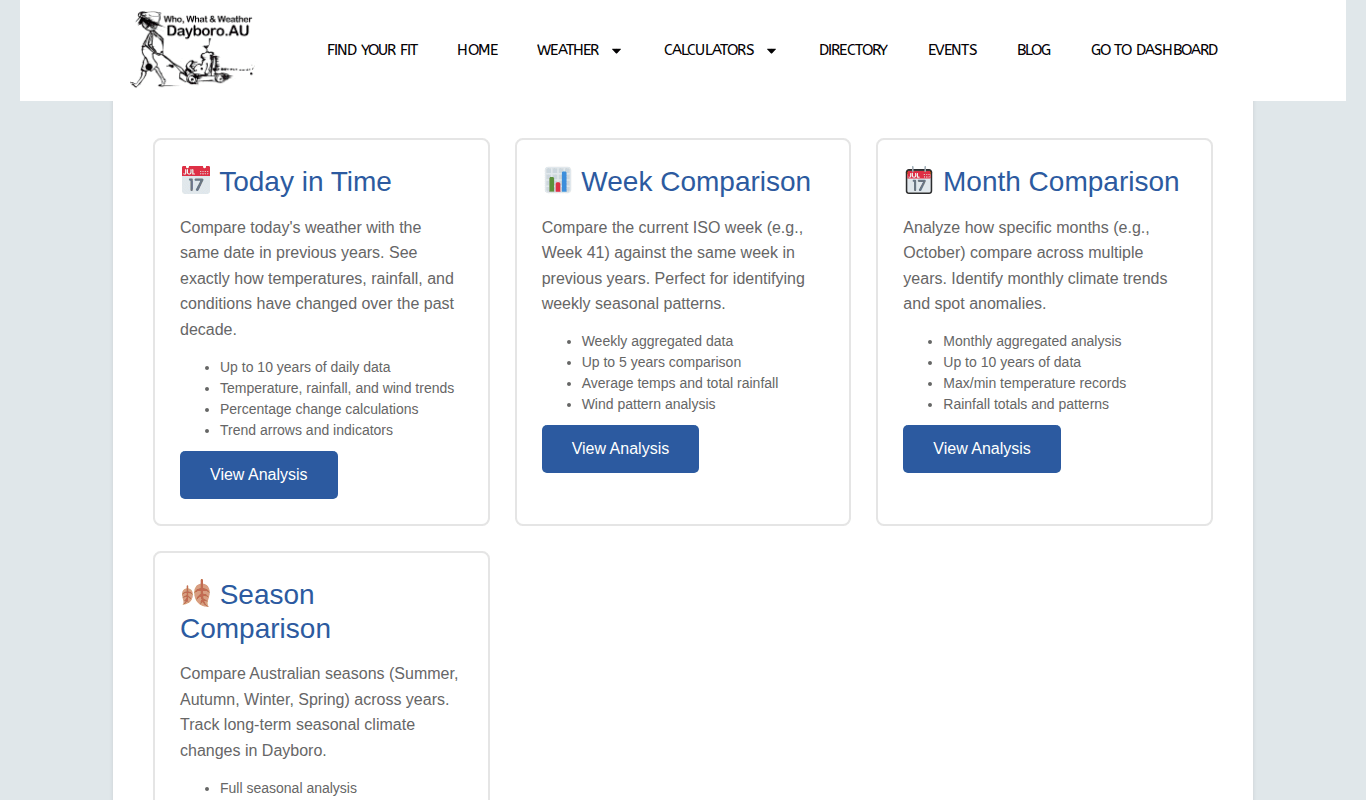
- Week Comparison takes the current week of the year and lines it up against the same week in earlier years. It shows the average temperature, total rain and average wind, and how each week compares with last year and the average.
- Month Comparison does the same for the current month, with the average, highest and lowest temperature and the rain.
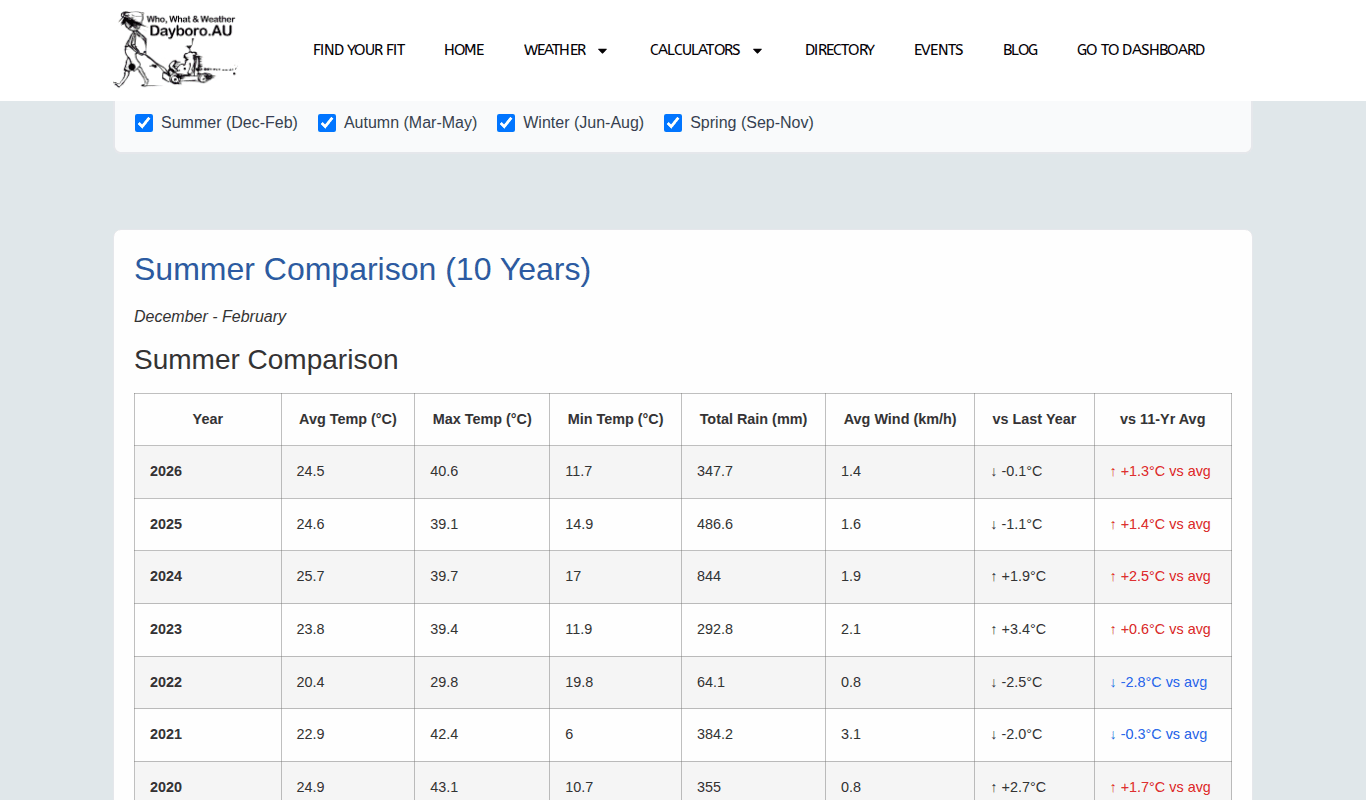
- Season Comparison shows summer (December to February), autumn (March to May), winter (June to August) and spring (September to November), each over 10 years.
On Season Comparison all four seasons are ticked when the page opens. To look at just one or two:
- Find the row of tick boxes under “Select Seasons to Compare”.
- Untick the seasons you do not need. Their tables disappear straight away.
- Tick a box again to bring that table back.
A tip: it is worth looking at the same report a few times through the year. A summer that feels like the hottest ever often turns out to be quite normal once you see ten of them side by side, and sometimes it really is a record.
To unlock the full history, see membership levels.
Back to the guide contents. Next, chapter 6 covers storm, flood and fire safety.
The Dayboro team
Get Dayboro weather delivered to your inbox every morning: forecasts, garden tips, and local updates. Subscribe free →