This chapter is about bad weather: storms, floods and fire. It shows where the site puts warnings and safety information, and what members get on top of that. The live creek and crossing pages are already explained in chapter 2, so here we only point to them.
First, a safety note
In an emergency, call 000. This site helps you plan and keep an eye on things, but it is not an emergency service. Always follow official warnings from the Bureau of Meteorology and the emergency services. Never drive, ride or walk into floodwater. If it is flooded, forget it.
The warning banner on the home page
When there is an official warning, a yellow or red bar appears at the top of the home page. It shows one warning at a time, with when it was issued and a link to the full details. Press the X on the right to hide it while you read the page.
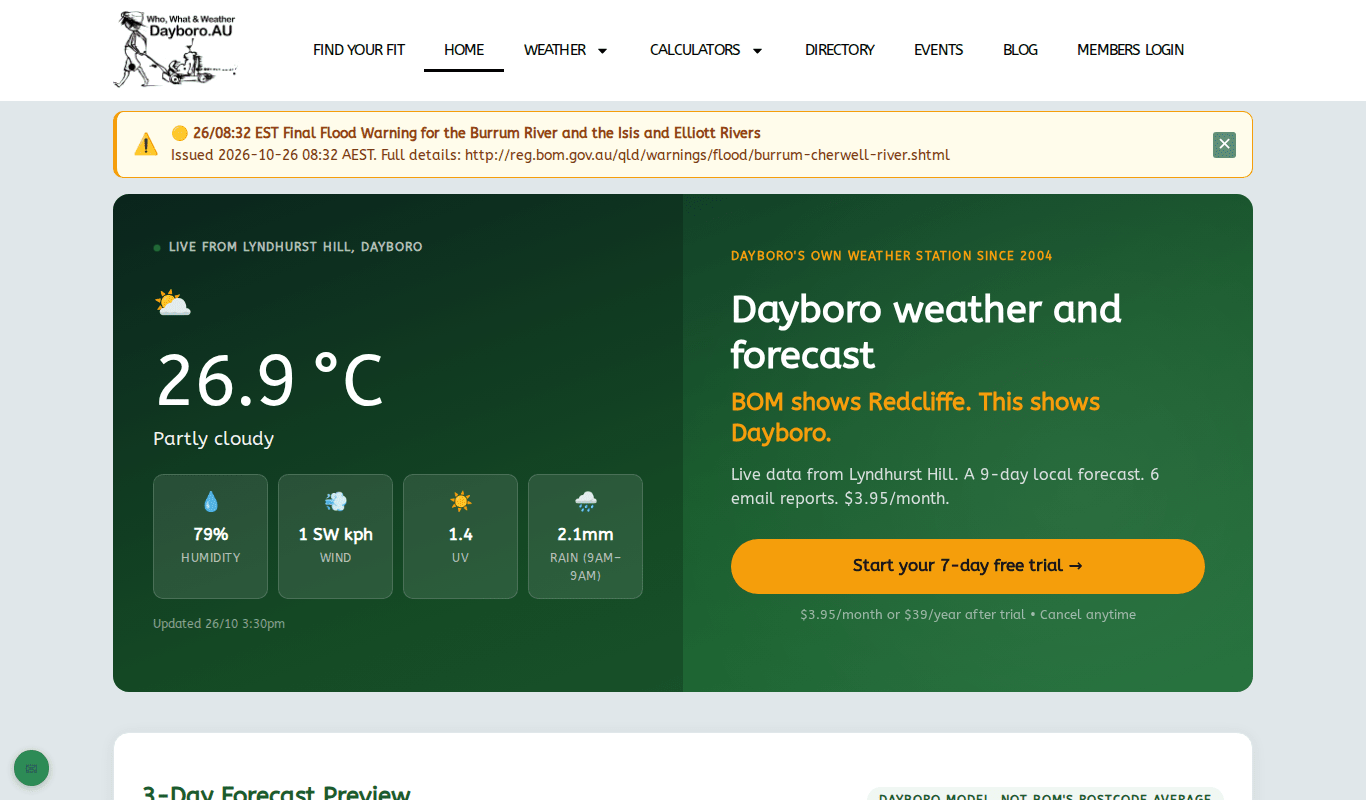
The banner can show a warning for another part of Queensland, for example a flood warning on a river a long way from us. So always read where the warning is for before you worry.
Local warnings and severity levels
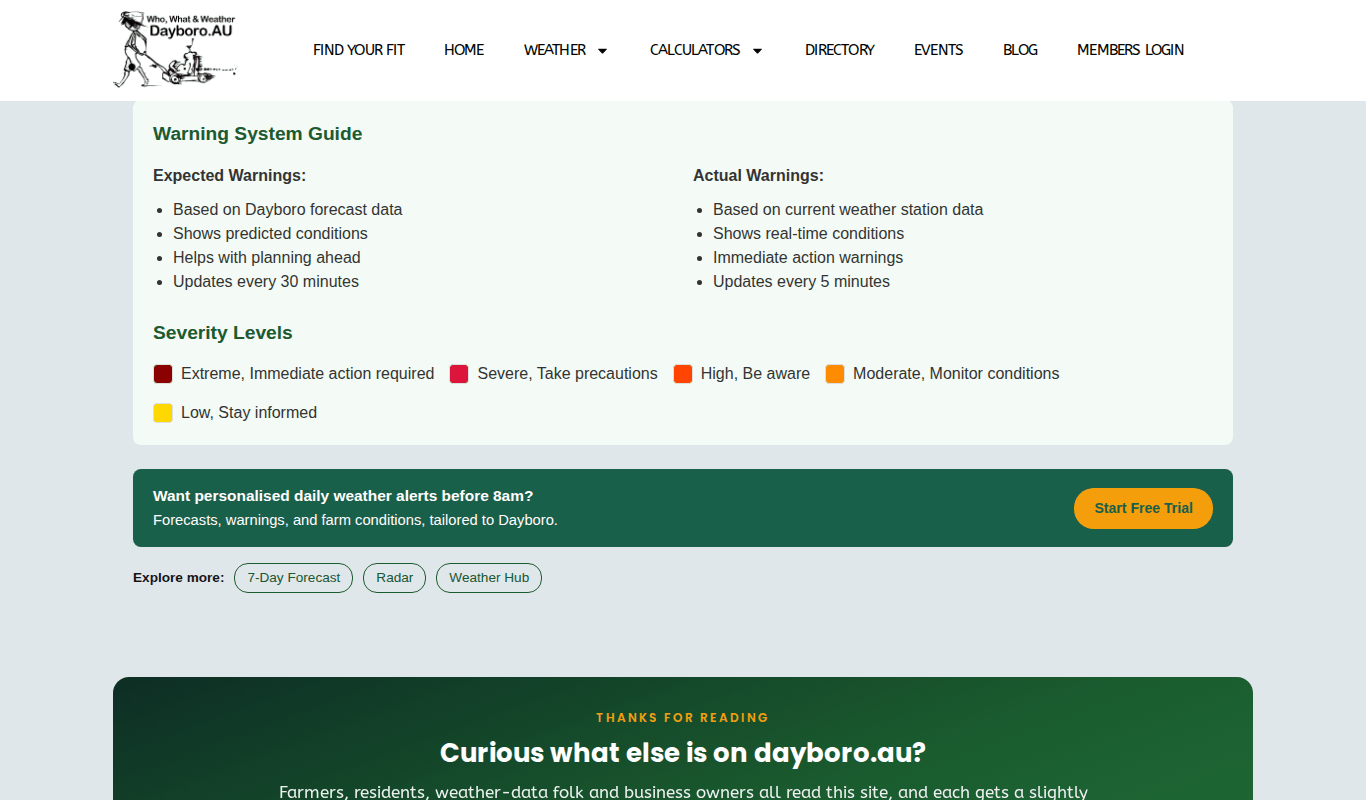
The Warnings page gives warnings worked out for Dayboro itself. There are two kinds:
- Expected warnings come from our forecast. They help you plan ahead and update every 30 minutes.
- Actual warnings come from what our station is measuring now. They update every 5 minutes.
Each warning has a colour for how serious it is:
| Level | What it means |
|---|---|
| Extreme | Immediate action required |
| Severe | Take precautions |
| High | Be aware |
| Moderate | Monitor conditions |
| Low | Stay informed |
Floods and creek crossings
The same Warnings page shows our creek crossings, their gauges and a 7-day crossing forecast. How to read those cards is covered in chapter 2. One thing is worth saying again, because the page says it too: a gauge measures the creek, not the road. Water can be over a road before the gauge reaches its threshold.
For the longer view, open the creeks flood risk outlook. It shows the overall flood risk for the coming weeks, a colour key from Low to High, and a day by day calendar. The Open live flood dashboard button at the top takes you to the live creek heights.
Further down, the page lists the rain that counts as a flood trigger: 100 mm or more in 24 hours for a flash flood, and 150 mm or more in 24 hours for a major flood. Under “What to Do” you will find a short checklist.
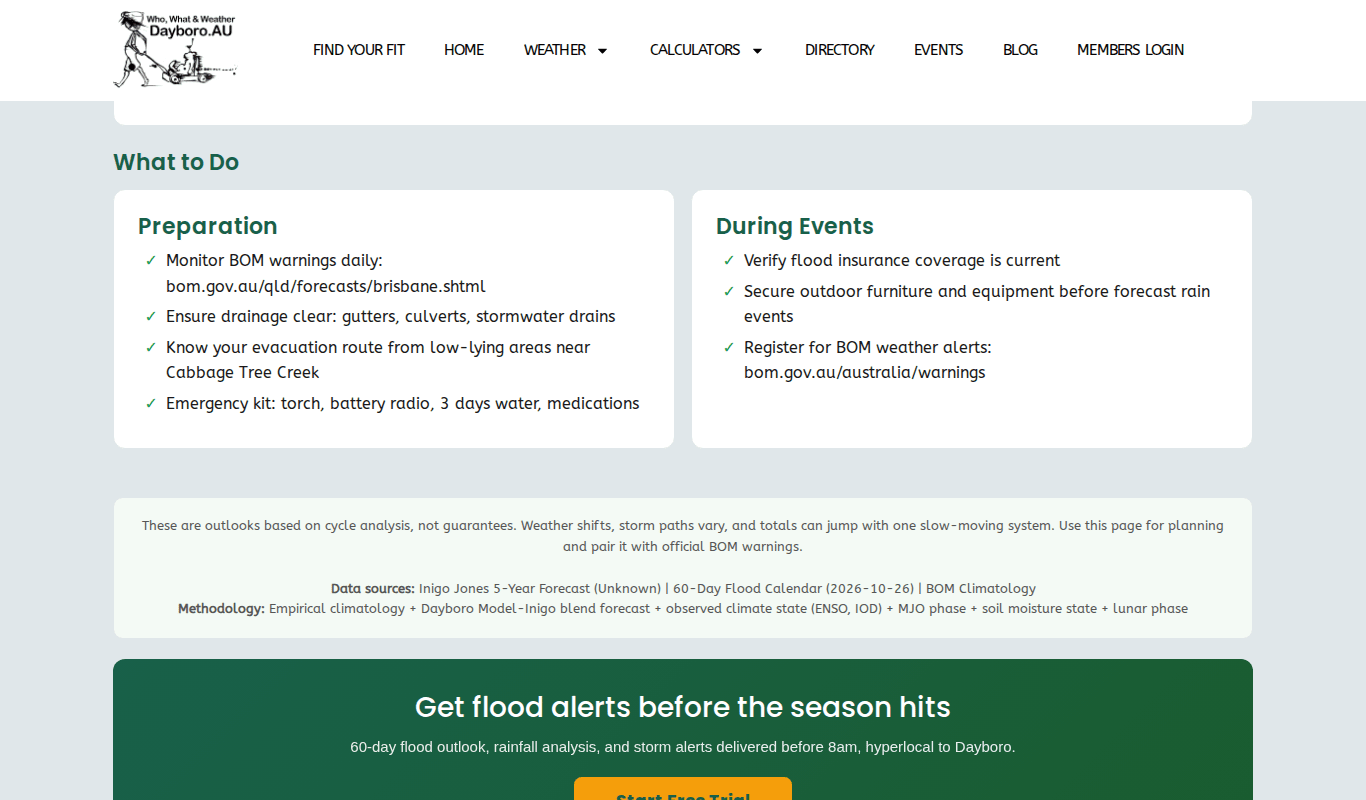
Well, keep in mind that the outlook is a planning tool. The page itself says it is an outlook, not a guarantee, and that you should pair it with official BOM warnings.
Storms and lightning alerts
Anyone can watch storms on the lightning dashboard, explained in chapter 2. Members can also get an alert by push and email when lightning comes within the distance they choose, 50, 100 or 200 km, and an all clear when it has gone. How to turn this on is in chapter 11.
Fire danger
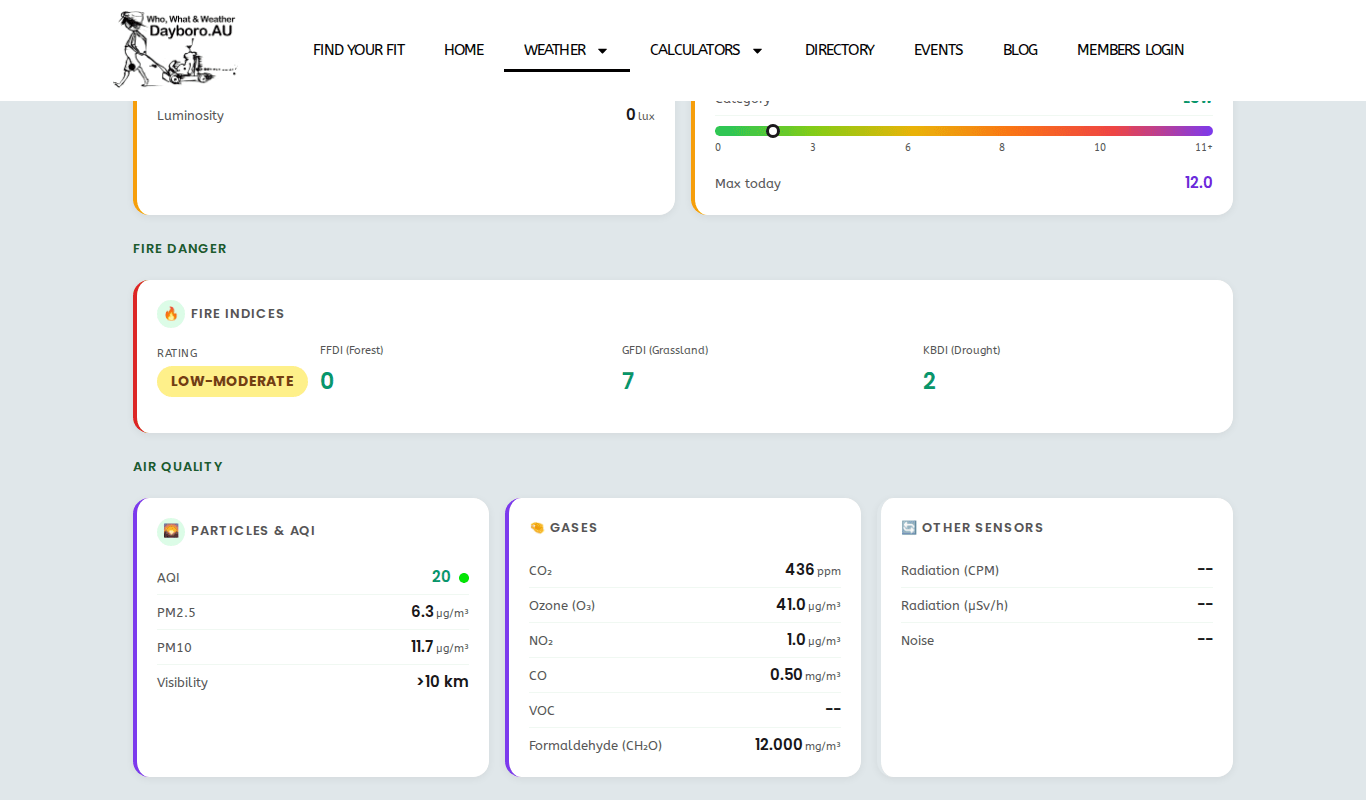
The Weather Hub has a Fire Danger panel that everyone can see. It shows a rating and three numbers:
- FFDI is the forest fire danger index.
- GFDI is the grassland fire danger index.
- KBDI is a drought index, a measure of how dry the ground is.
Members also get a Fire danger card on the Members Dashboard, on the Weather now tab. When the Bureau has issued an official fire danger rating for our area, the card shows it. When it has not, the card says so and shows our station’s own rating instead. If the official rating is High or worse, an alert line also appears near the top of the tab.
The same tab lists every current official warning for Queensland, and has cards for Storm & lightning and the Flood outlook. Press the small i on a card to read what it means. If you are logged in without a membership, you see an upgrade card in place of these.
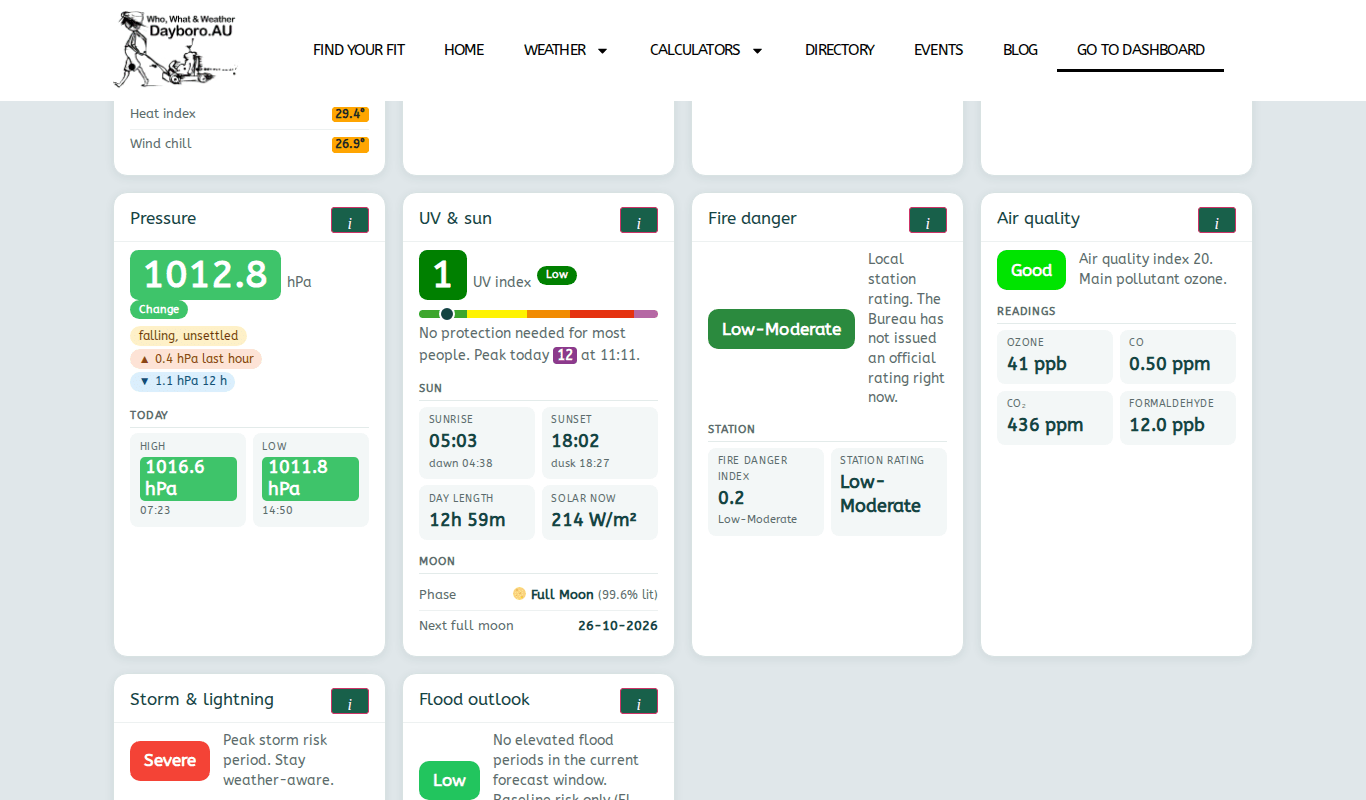
On a bad fire day, follow the official rating and any fire ban from the authorities.
Emergency contacts
The Emergency Contacts page is open to everyone. On a phone, tap any number to call it. It lists:
- Important numbers, such as 000 for fire, police and ambulance, the SES on 132 500, Policelink on 131 444, ENERGEX for power lines on 136 262 and the council on 07 3205 0555.
- Local fire wardens, sorted by area.
- Justices of the Peace, sorted by area.

It is the same list the Dayboro Buddy app uses, kept up to date by local volunteers. A good idea is to save the numbers you need in your phone now, before a storm knocks out the power or the internet.
Back to the guide contents. Next, chapter 7 covers the calculators and garden tools.
The Dayboro team
Get Dayboro weather delivered to your inbox every morning: forecasts, garden tips, and local updates. Subscribe free →