Our calculators turn live readings from our station on Lyndhurst Hill into a plain answer. Should I spray today? How much power will my panels make tomorrow? Is my soil too sour for tomatoes? This chapter walks through each tool, what you type in, and what the answer means.
The Tools hub
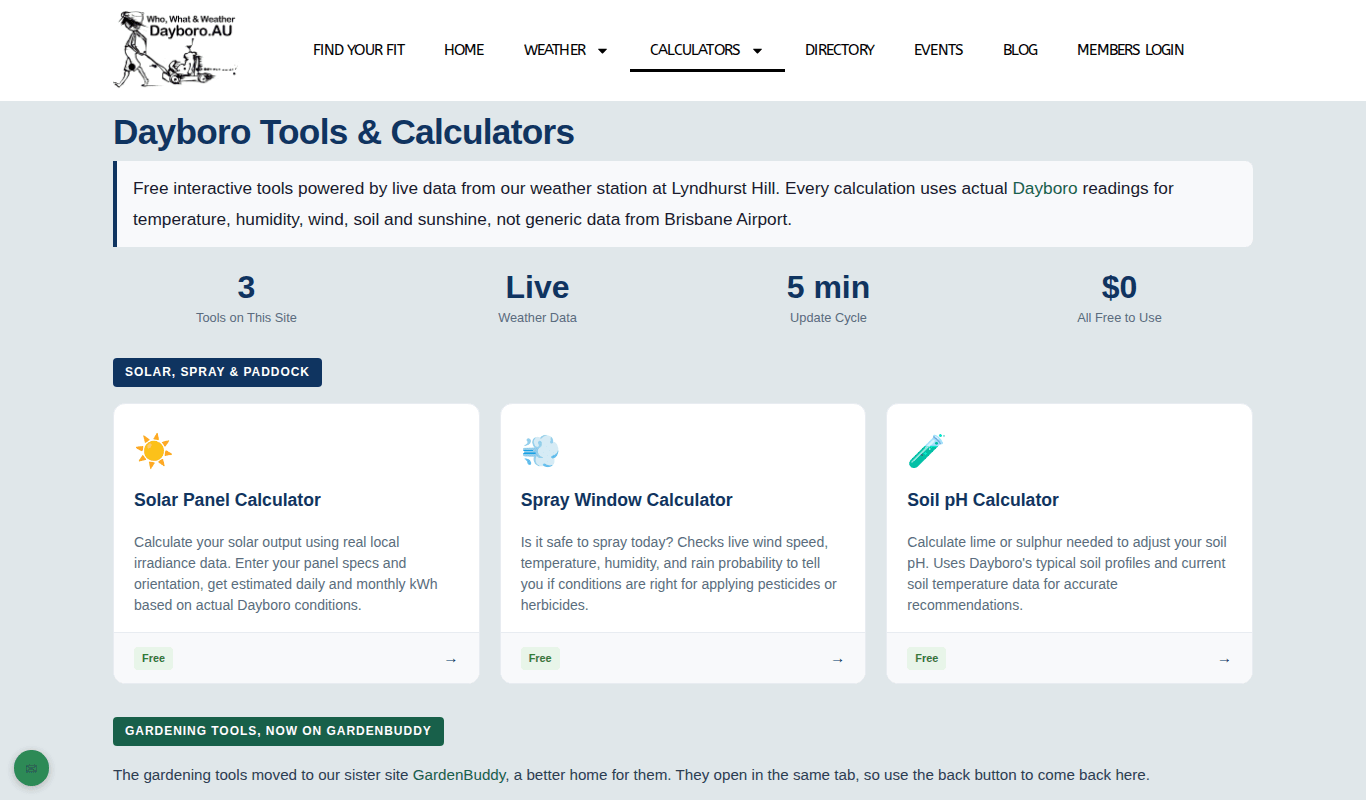
Open Calculators in the menu, or go straight to the Tools hub. Three tools live on this site: the Solar Panel Calculator, the Spray Window and the Soil pH calculator. All three are free to use, and the weather behind them updates every 5 minutes.
Frost, watering and other garden tools
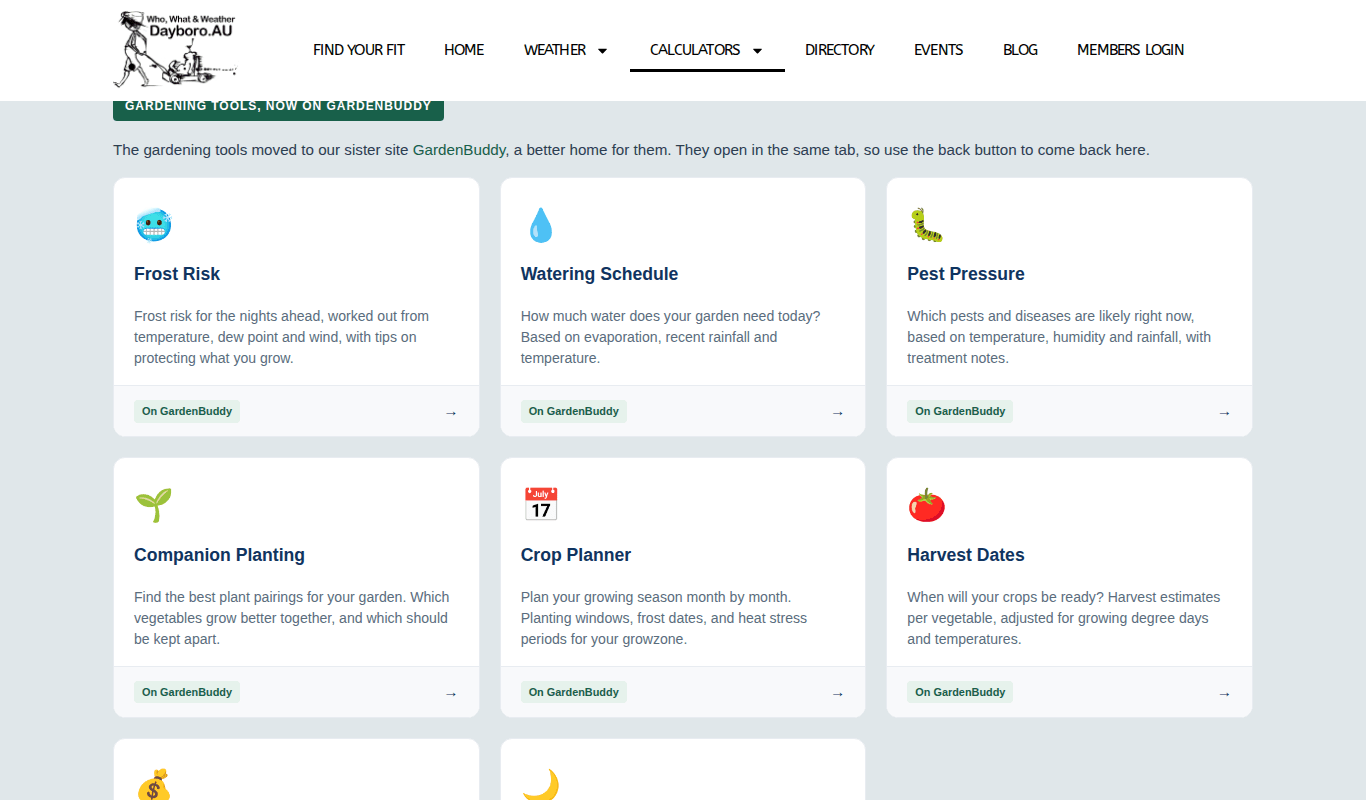
Well, if you are after the garden tools, they have moved. The planting and frost tools are now on GardenBuddy.au, as the Find your fit page says. Further down the Tools hub you will find cards for Frost Risk, Watering Schedule, Pest Pressure, Companion Planting, Crop Planner, Harvest Dates, Veggie ROI Tracker and Moon Calendar. They open in the same tab, so use your back button to return.
- Frost Risk. Type a postcode and you get the next seven overnight lows, each one flagged for frost. There is nothing to sign up for.
- Watering Schedule. Tells you to water or skip today and shows a 2 day watering forecast. Signing in on GardenBuddy.au shows the full 7 days.
The old frost, watering and gardening addresses on dayboro.au now send you straight to the matching GardenBuddy.au page.
Solar Panel Calculator
This answers one question: how much power will my panels make? Dayboro uses our live hourly weather model. Anywhere else gets an estimate for a typical year.
- Check the location. It starts on Dayboro, QLD.
- Enter your system size in kW. Use the nameplate size of the system.
- Pick the way the panels face and the tilt angle. 0 is flat and 90 is straight up.
- Add the year they were installed and the panel type. Pick Unknown if you are not sure.
- Got panels on two roofs? Press + Add Another Panel String for the second set.
- Press Calculate My Solar Output.
The result shows the expected kWh for the day, the peak output and when it happens, and an hourly chart. A note also explains how much the panels have aged since they were installed. The sum already allows for typical system losses of 14%. Results are best inside the Dayboro valley and may differ by 10–15% higher up, for example at Ocean View or Mount Mee.
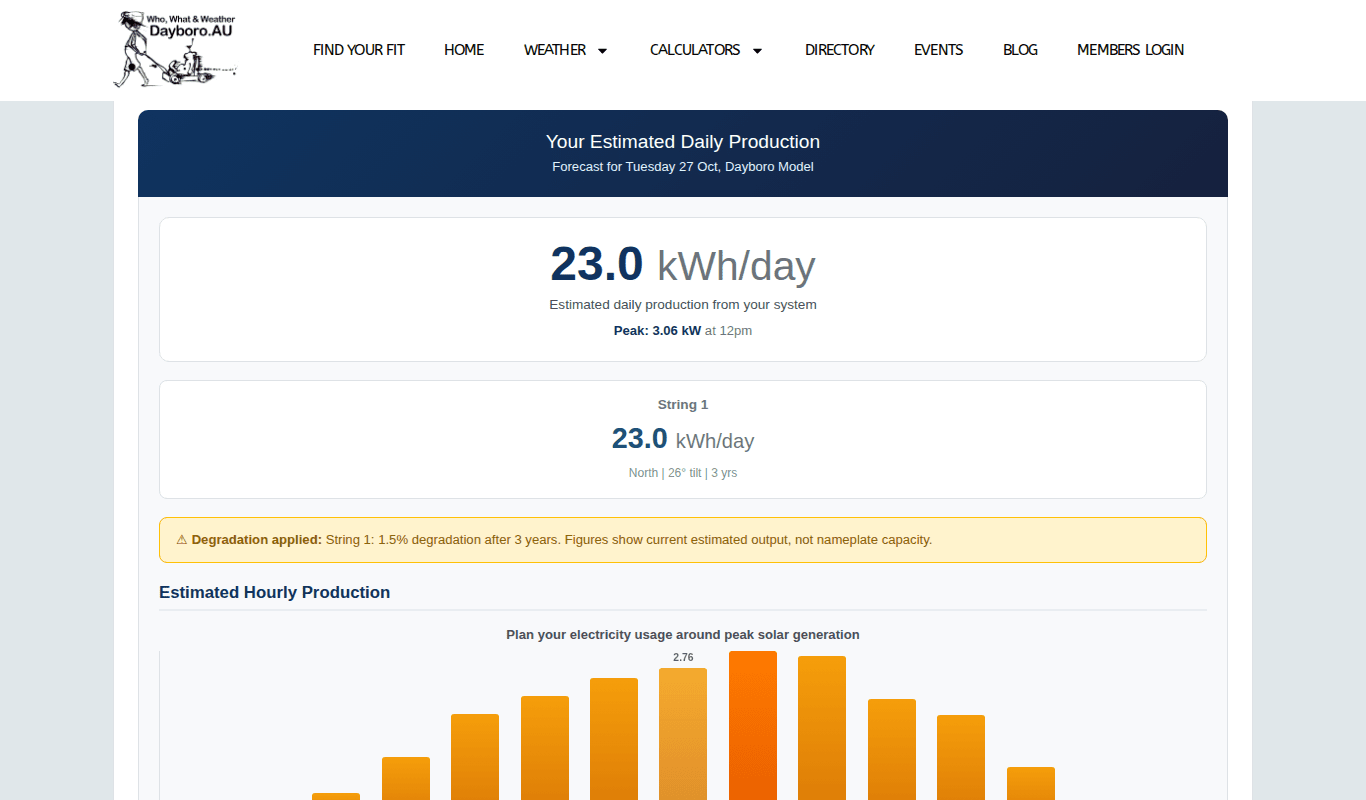
Visitors see tomorrow only. Members can pick any day of the coming week. They can also save their system with Save & Get Daily Forecast to receive the Daily Solar Forecast email (see chapter 8).
Spray Window
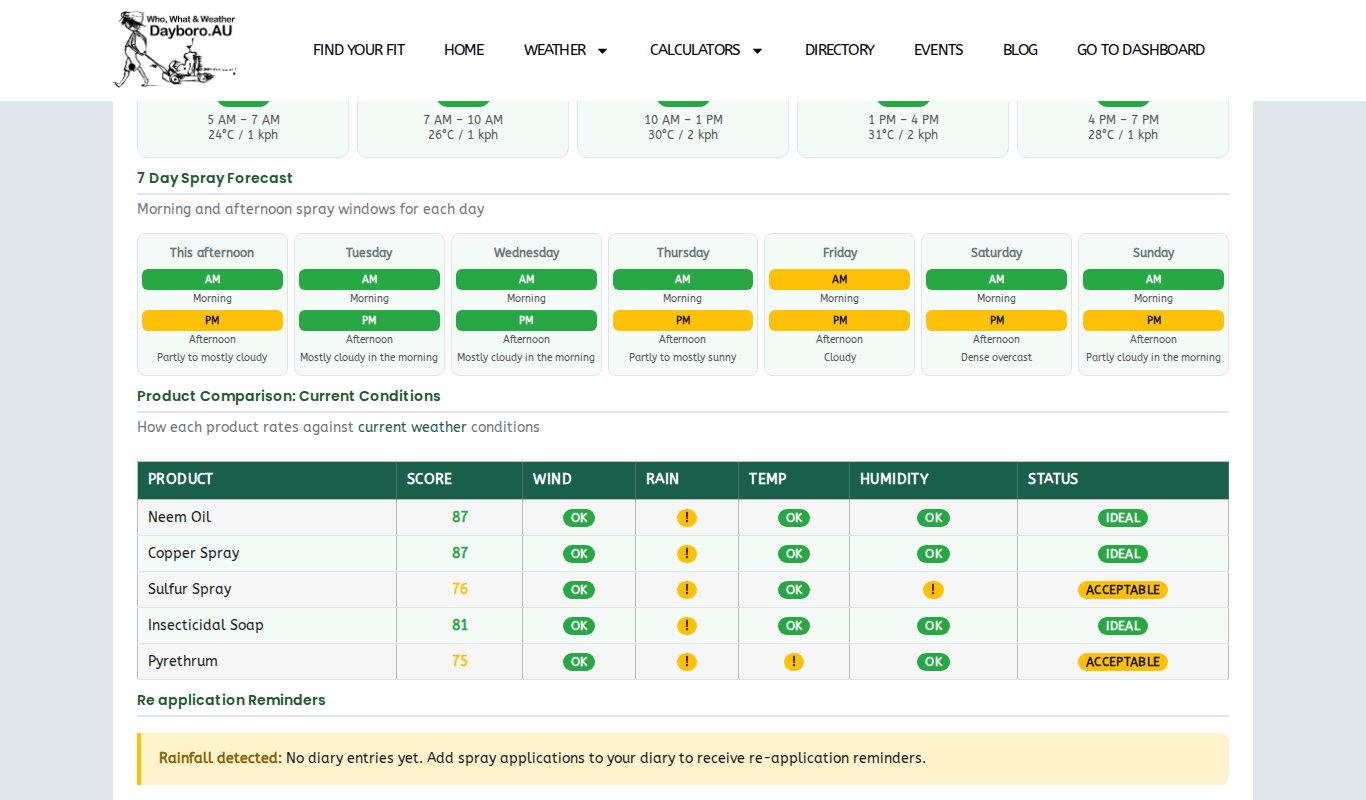
This tells you if now is a good time to spray. Pick your product, for example neem oil, copper, sulfur, insecticidal soap or pyrethrum, or leave it on General Purpose. You get a score out of 100:
- 80–100, Ideal. Go ahead.
- 50–79, Acceptable with care. Read the notes first.
- 0–49, Not recommended. Wait for a better window.
Wind counts most (35 points), then rain (30), temperature (20) and humidity (15). The rain chance for the next 6 hours comes from the Dayboro Model forecast, and wind uses the average speed, not gusts. Below the score you see today split into windows, from early morning to evening, so you can plan the best part of the day.
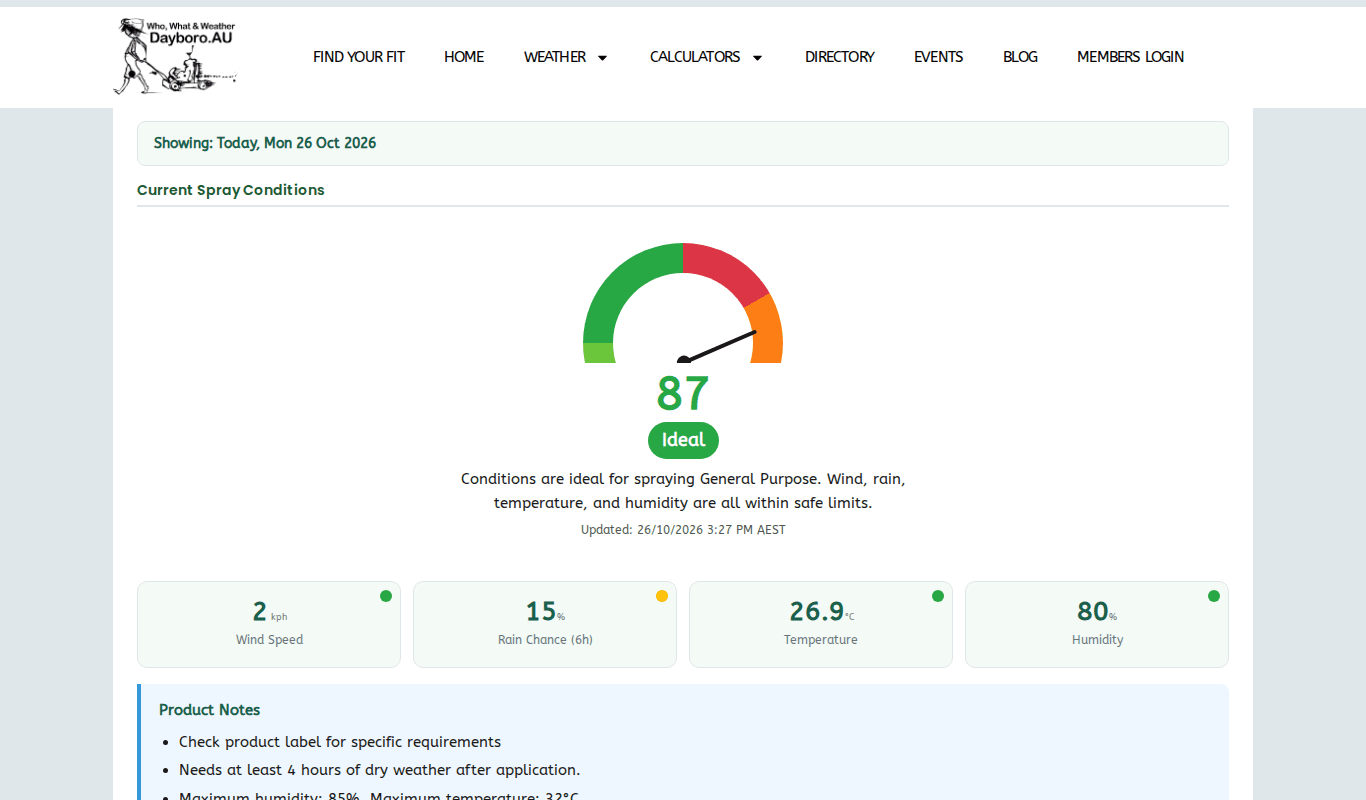
Members also get a 7 day spray forecast with a morning and afternoon score for each day, a table comparing products, and a spray diary. The diary is kept in your own browser, so it stays on the device you use.
Soil pH calculator
This checks if your soil suits the crop you want to grow.
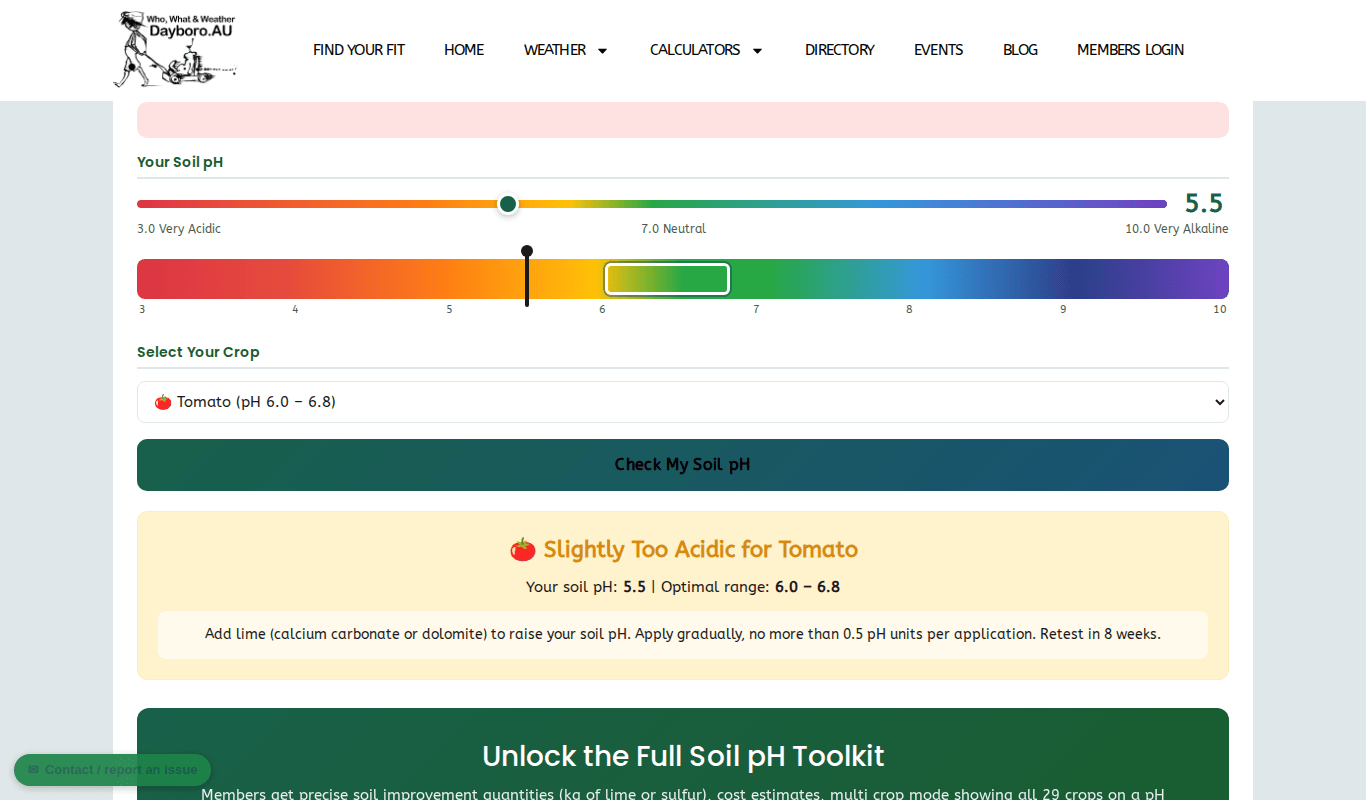
- Move the slider to your soil test reading, between 3 and 10.
- Pick a crop from the list of 29.
- Press Check My Soil pH.
You see if your soil is right, too acid or too alkaline, compared with the best range for that crop, plus what to add. For acid soil that means lime. Change it by no more than 0.5 pH in one go and test again after 8 weeks. You may need to do this a few times to reach the target.
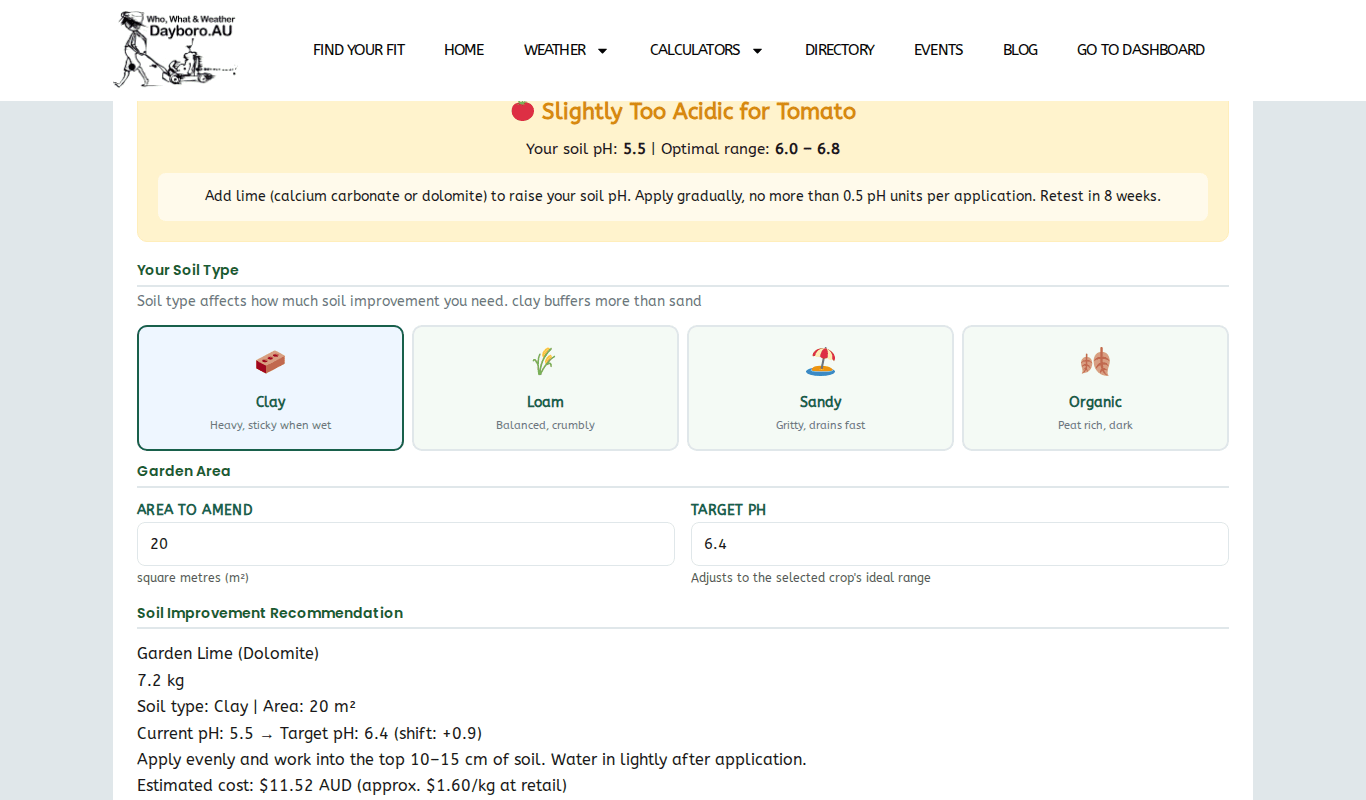
Members can go further. Enter your soil type, the area in square metres and the pH you want, and the calculator works out how many kilograms to spread and a rough cost. Members also get a check for several crops at once, a chart for all 29 crops and the best season to treat the soil. Autumn is best and summer is worst. For an exact answer, a lab soil test is still the way to go.
See the membership page for what members get and the current prices.
Back to the guide contents. Next, chapter 8 explains the email reports.
The Dayboro team
Get Dayboro weather delivered to your inbox every morning: forecasts, garden tips, and local updates. Subscribe free →